Vendors in depth: credits, checks, recurring bills and 1099s
You'll use vendor credits, write and print checks, set up recurring bills, read the AP aging and keep track of the vendors who need a 1099.
- Principles:
- Matching
- Full disclosure
Vendor credits
A vendor credit is the vendor's version of a credit memo: they owe you, for returned goods or an overcharge. It lowers what you owe and takes the amount back out of the expense. Apply it to the vendor's next bill, or ask for a refund.
| Account | Debit (Dr) | Credit (Cr) |
|---|---|---|
| Accounts Payable | $120.00 | |
| Cost of Goods Sold | $120.00 | |
| Total Balanced | $120.00 | $120.00 |
Are you Increasing or Decreasing?
| Debit | Credit |
|---|---|
| Liability | Asset |
| Equity | Draw |
| Revenue | Expense |
− To decrease an account, put it on the opposite side.
Accounts Payable goes down: press − and find Liability on the debit side.
Writing checks
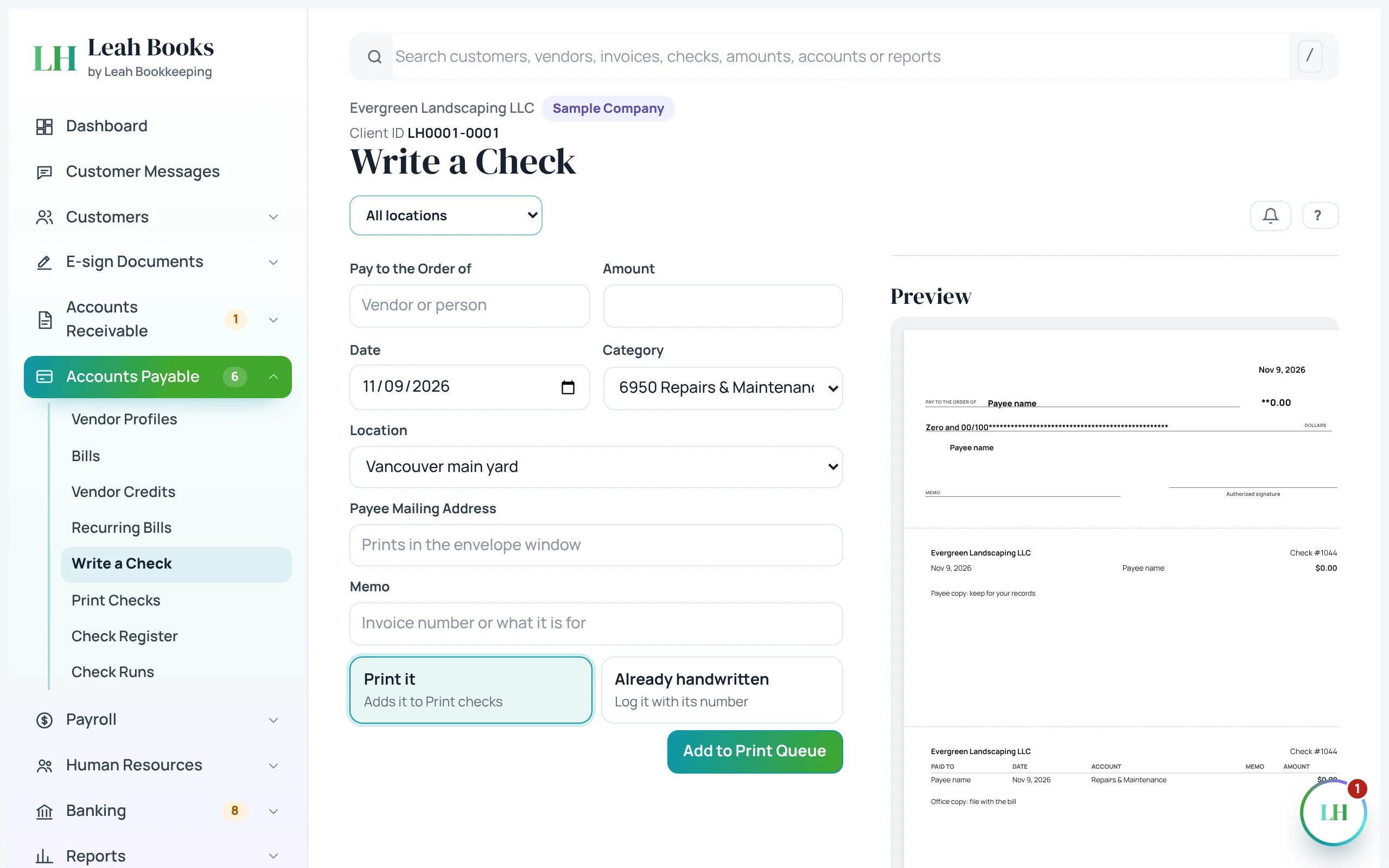
Write a check for something paid on the spot, with no bill first. Pay by check on a bill clears the bill. Either way, the check waits in Print checks until you print it on check stock, and the Check register lists every check by number.
Every check needs a reason on paper: the bill, an invoice or a receipt behind it.
| Account | Debit (Dr) | Credit (Cr) |
|---|---|---|
| Equipment Rental | $275.00 | |
| Business Checking | $275.00 | |
| Total Balanced | $275.00 | $275.00 |
Are you Increasing or Decreasing?
| Debit | Credit |
|---|---|
| Liability | Asset |
| Equity | Draw |
| Revenue | Expense |
− To decrease an account, put it on the opposite side.
Business Checking goes down: press − and find Asset on the credit side.
 (opens the full-size screenshot)
Recurring bills
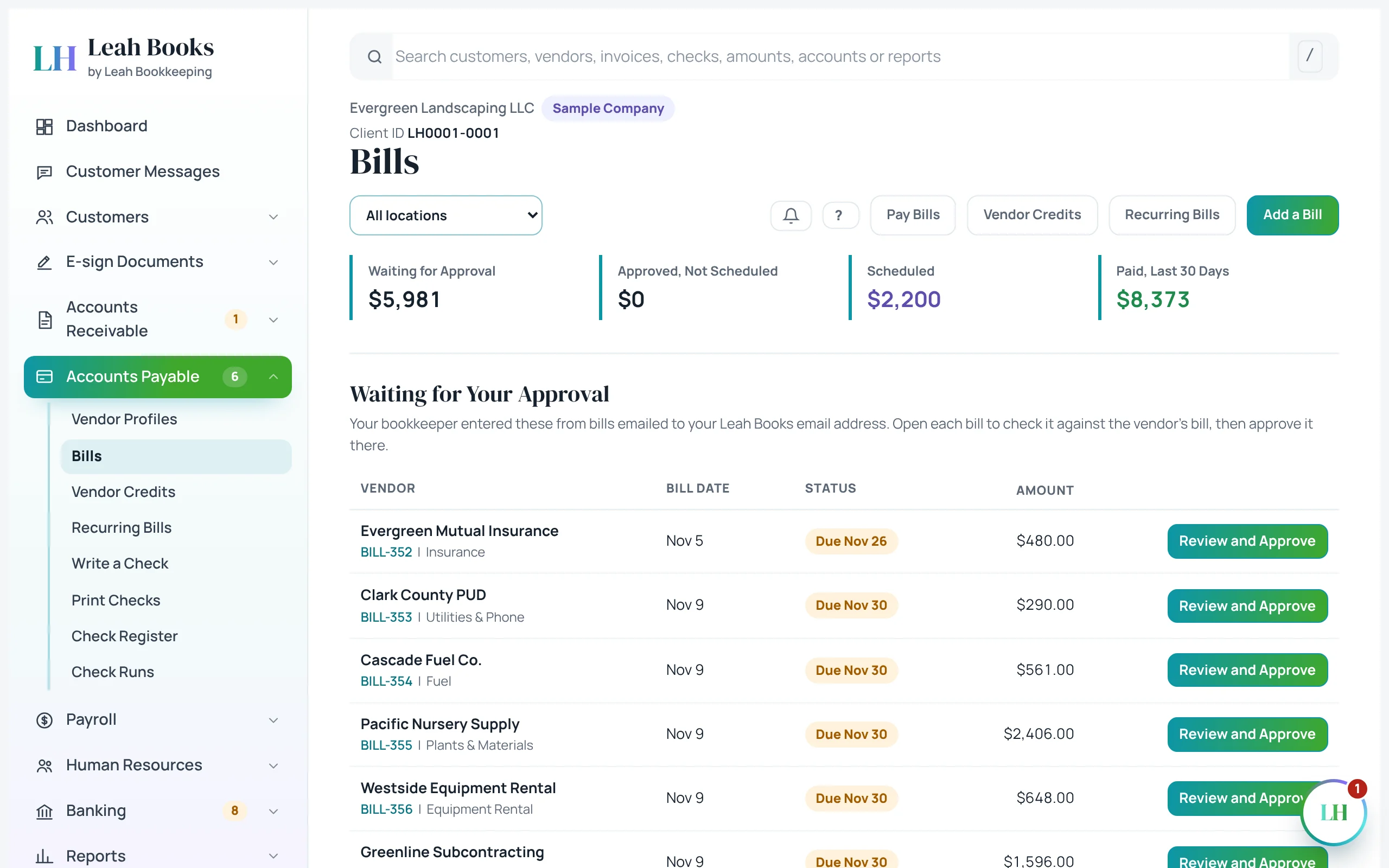
Rent, insurance and software arrive on a schedule. A recurring bill creates the bill for you each period, so the expense lands in the right month and the payment isn't missed. It still goes through approval like any bill.
The AP aging
The AP aging sorts what you owe by how late it is. It's how you plan payments: pay what's due, take discounts worth taking, and don't pay early without a reason. Before closing a month, compare the AP total to Accounts Payable on the balance sheet. They must match.
 (opens the full-size screenshot)
Contractors, W-9s and 1099s
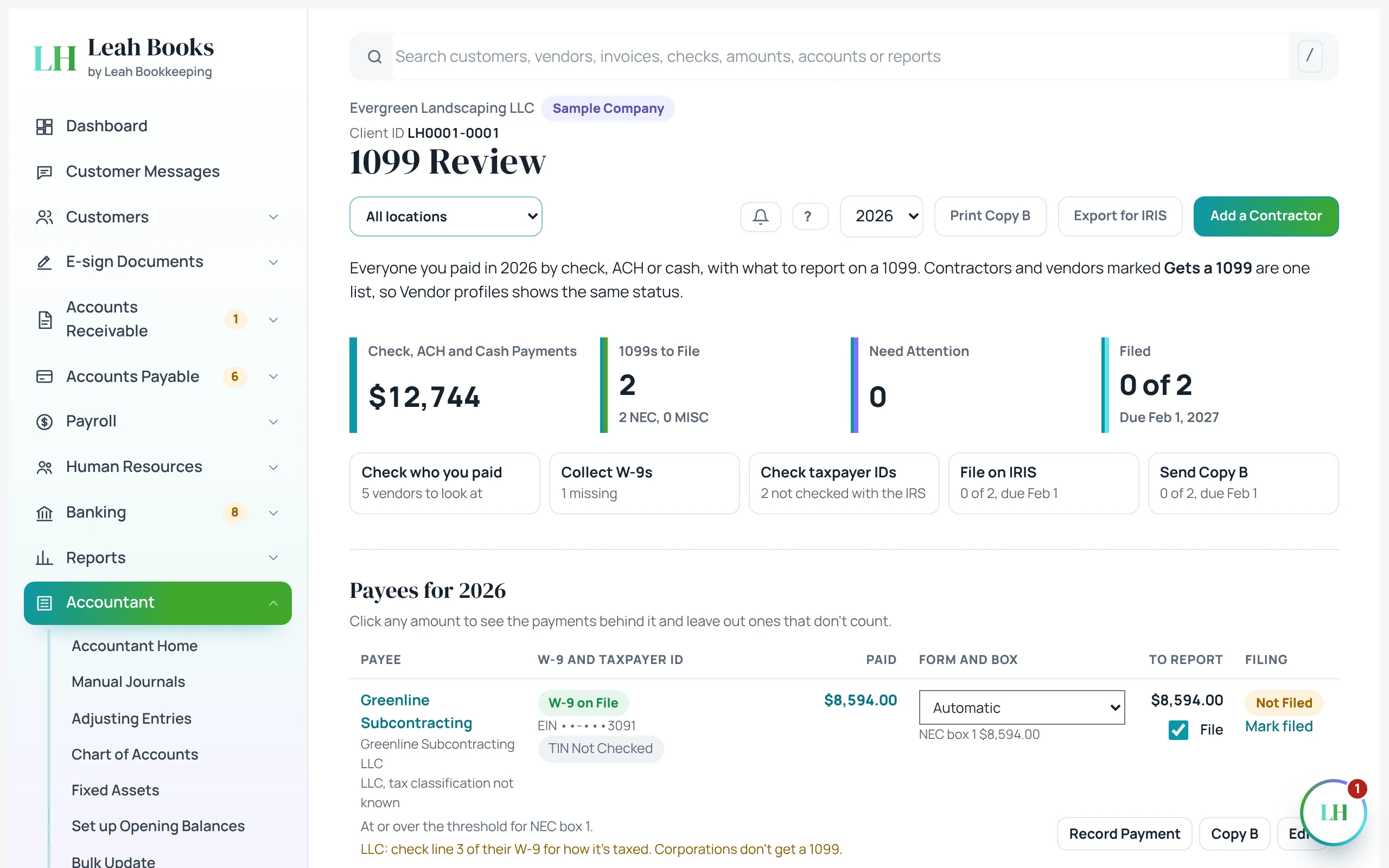
Before paying a contractor, get a W-9 with their legal name, tax classification and taxpayer ID. At year-end, contractors you paid enough in the year get a 1099-NEC. Payments by card or payment apps are left out, because the card company reports them.
Leah Books tracks this in the 1099 review: which vendors need one, how much you paid them and whether their W-9 is on file. The thresholds and rules change, so check the current year's rules with a tax professional.
 (opens the full-size screenshot)
Try it in Leah Books
- Go to Accounts Payable > Vendor credits and record a $120 credit from one of your vendors. Apply it to one of their open bills.
- Go to Accounts Payable > Write a check and fill one out to a vendor. Look at it in Print checks.
- Go to Accounts Payable > Recurring bills and click Add a recurring bill to see how a monthly bill is set up.
- Open Reports > All reports > AP aging summary.
- Go to Accountant > 1099 review and click Add a contractor to see what Leah Books needs to know about a vendor who gets a 1099.
Key terms
- Vendor credit
- A credit from a vendor that lowers what you owe them.
- Check register
- The list of every check written, by number.
- Recurring bill
- A bill created automatically on a schedule.
- AP aging
- What you owe vendors, sorted by how late each bill is.
- W-9
- The form a contractor fills out with their legal name and taxpayer ID.
- 1099-NEC
- The form reporting what a business paid a contractor for services in the year.
Check what you learned
Pick an answer to see if it's right and why. Nothing is saved or sent.