Internal controls, errors and the audit trail
Use segregation of duties, approvals, correcting and reversing entries, and the audit trail to keep the books trustworthy.
- Principles:
- Reliability (verifiability)
What internal controls are for
Internal controls are the habits and settings that protect the business's money and make the books reliable. They help prevent mistakes and fraud, and they help you catch what slips through. Even a small business like Evergreen Landscaping benefits from a few simple ones.
- Segregation of duties: no one person should handle a transaction from start to finish. The person who enters bills shouldn't also approve and pay them, and the person who deposits cash shouldn't also reconcile the bank.
- Approvals: bills, payroll and journal entries over a set amount get a second person's OK before they post or get paid.
- Access levels: give each user only the access their job needs.
- Reconciliations and review: reconcile bank and card accounts every month, and review reports for anything that looks off.
- Locking closed periods: once a month is reviewed, lock it so it can't quietly change.
Correcting entries, not editing history
When a mistake is found in a period that's already been reported or closed, don't change the original. Record a correcting entry in an open period that fixes the balances and leaves a clear record of what happened.
Say a $450 bill from Westside Equipment Rental was posted to Repairs & Maintenance instead of Equipment Rental in a month that's now locked. The fix goes in the current month:
| Account | Debit (Dr) | Credit (Cr) |
|---|---|---|
| Equipment Rental | $450.00 | |
| Repairs & Maintenance | $450.00 | |
| Total Balanced | $450.00 | $450.00 |
Memo: Explain the original entry and the reason in the notes, and attach the bill.
Are you Increasing or Decreasing?
| Debit | Credit |
|---|---|
| Liability | Asset |
| Equity | Draw |
| Revenue | Expense |
− To decrease an account, put it on the opposite side.
Repairs & Maintenance goes down: press − and find Expense on the credit side.
Reversing entries
A reversing entry is the exact mirror of an earlier entry, with debits and credits swapped. It has two uses: undoing an entry that was wrong from the start, and clearing a month-end accrual on the first day of the next month.
Here is the reversal of October's $1,850 wage accrual from lesson 3.3. In Leah Books, the Reverse button on a manual journal posts this for you on the date you choose, and ticking Auto-reverse on an accrual schedules it ahead of time.
| Account | Debit (Dr) | Credit (Cr) |
|---|---|---|
| Accrued Liabilities | $1,850.00 | |
| Wages | $1,850.00 | |
| Total Balanced | $1,850.00 | $1,850.00 |
Are you Increasing or Decreasing?
| Debit | Credit |
|---|---|
| Liability | Asset |
| Equity | Draw |
| Revenue | Expense |
− To decrease an account, put it on the opposite side.
Accrued Liabilities goes down: press − and find Liability on the debit side.
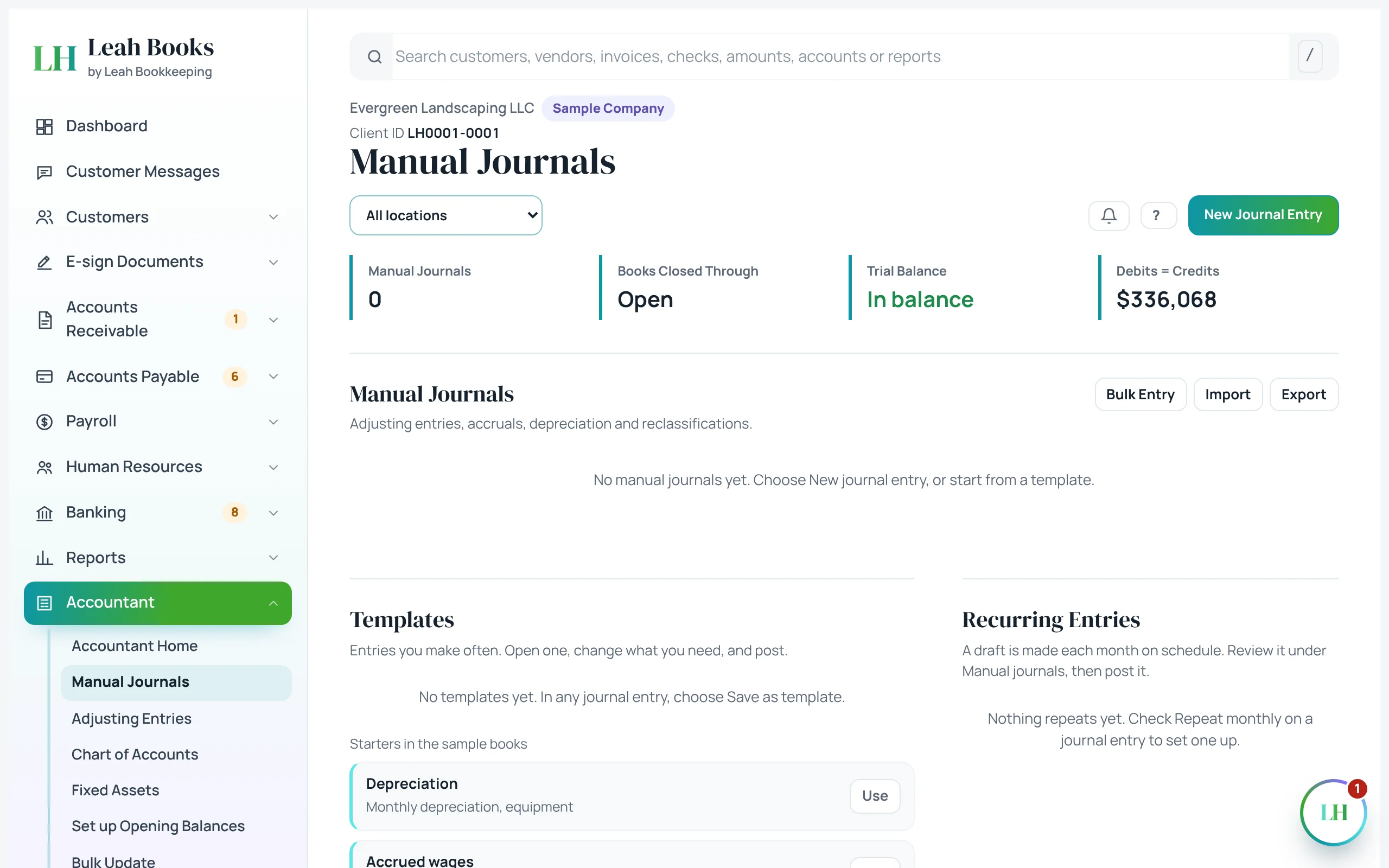 (opens the full-size screenshot)
The audit trail
An audit trail shows who did what and when. It lets you trace any number on a report back to the entry behind it, and see every change made along the way.
Leah Books records every saved change, field by field, with who made it and when. The audit trail can't be edited or deleted, not even by an administrator. Changes Leah Books makes on its own are recorded as System. The Changes after close report lists any edits made to closed periods.
Report total → account → journal entry → source document (invoice, bill, receipt)
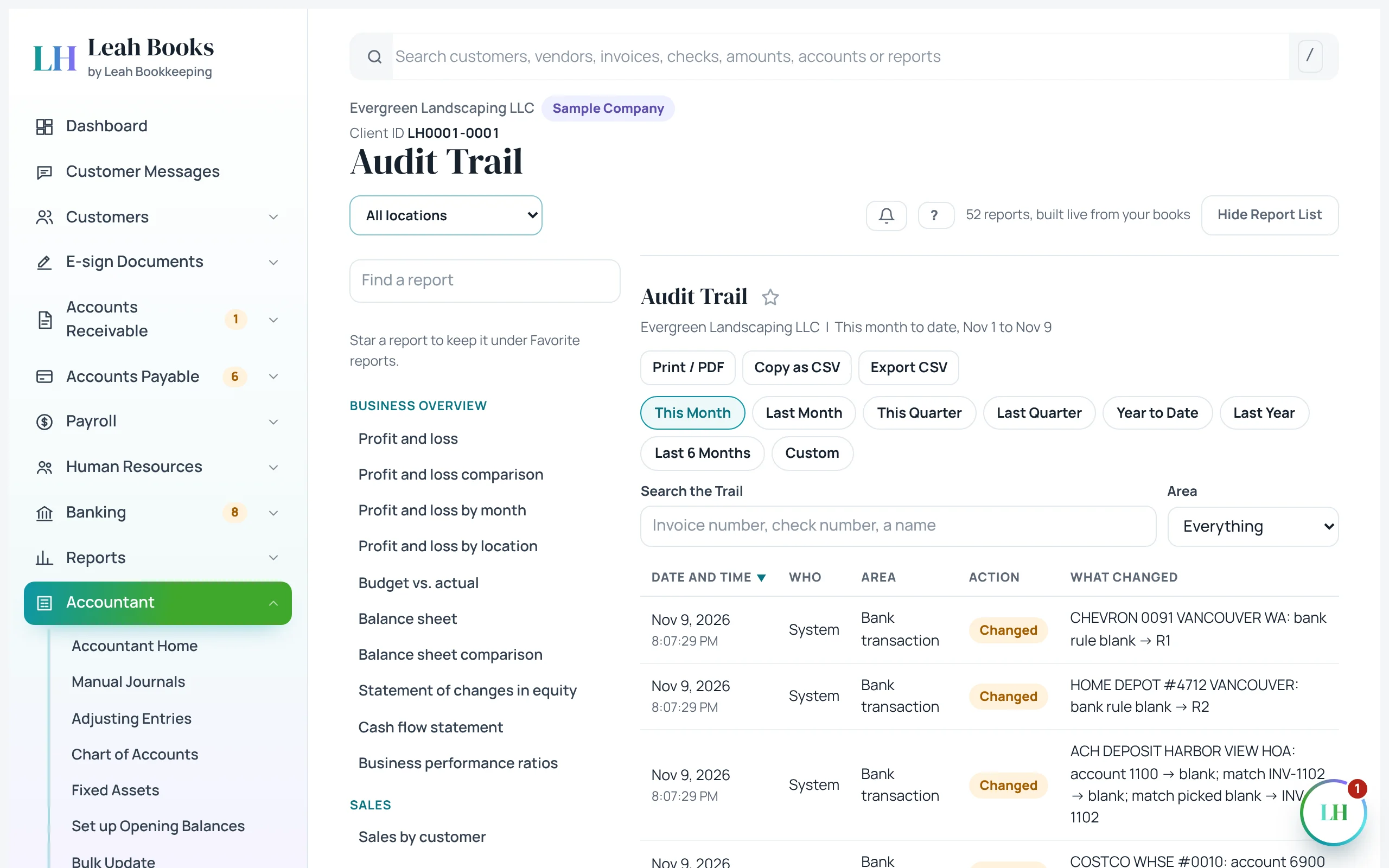 (opens the full-size screenshot)
Try it in Leah Books
- Go to Accountant > Audit trail and look at the most recent changes.
- Go to Accountant > Manual journals, find an entry you posted in an earlier lesson and click Reverse. Pick a date in an open month and confirm.
- Return to Accountant > Audit trail and find the reversal you just made, with your name and the time.
- Go to Settings > Manage users and look at the Access levels table to see what each level can see and change.
- Go to Settings > Approvals to see how bills can be set to wait for a second person's approval before they're paid.
Key terms
- Internal controls
- Policies and settings that protect assets and keep the accounting records reliable.
- Segregation of duties
- Splitting a transaction's steps among different people so one person can't both make and hide an error or theft.
- Correcting entry
- A new journal entry that fixes an earlier error, leaving the original on the record.
- Reversing entry
- An entry that mirrors an earlier one, swapping debits and credits, to undo it or clear an accrual.
- Audit trail
- A record of who made each change and when, linking reports back to source documents.
- Source document
- The original record of a transaction, like an invoice, bill, receipt or timesheet.
Check what you learned
Pick an answer to see if it's right and why. Nothing is saved or sent.