Receipts and supporting documents
You'll know why every entry needs proof behind it, what to keep, and how to record and match a receipt.
- Principles:
- Objectivity
Every entry needs a reason on paper
Each number in your books should trace back to a source document: something outside your own memory that shows what happened.
That chain from report, to entry, to document is the audit trail. With a good one, anyone (you, your accountant, a lender or a tax examiner) can check any number.
- Customer invoices and credit memos
- Vendor bills and vendor credits
- Receipts for purchases
- Bank and credit card statements
- Deposit slips and check copies
- Contracts and loan papers
Why keep them
- Taxes: if you claim an expense, you may need to prove it. The IRS's general rule is to keep records that support a tax return for at least three years, and longer in some situations. Ask a tax professional what applies to you.
- Right categories: a receipt shows what was actually bought, so it lands in the right account.
- Catching mistakes: a receipt helps you spot a wrong amount, a double charge or a charge you don't recognize.
- Loans and sales: banks and buyers ask for clean, supported books.
What a good receipt shows
A useful receipt answers who, when, how much, what and how you paid. If it doesn't say why, write a short note: the job site or the customer it was for.
- Vendor name
- Date
- Total, including any tax
- What was bought
- How it was paid (which card or account)
Recording a receipt
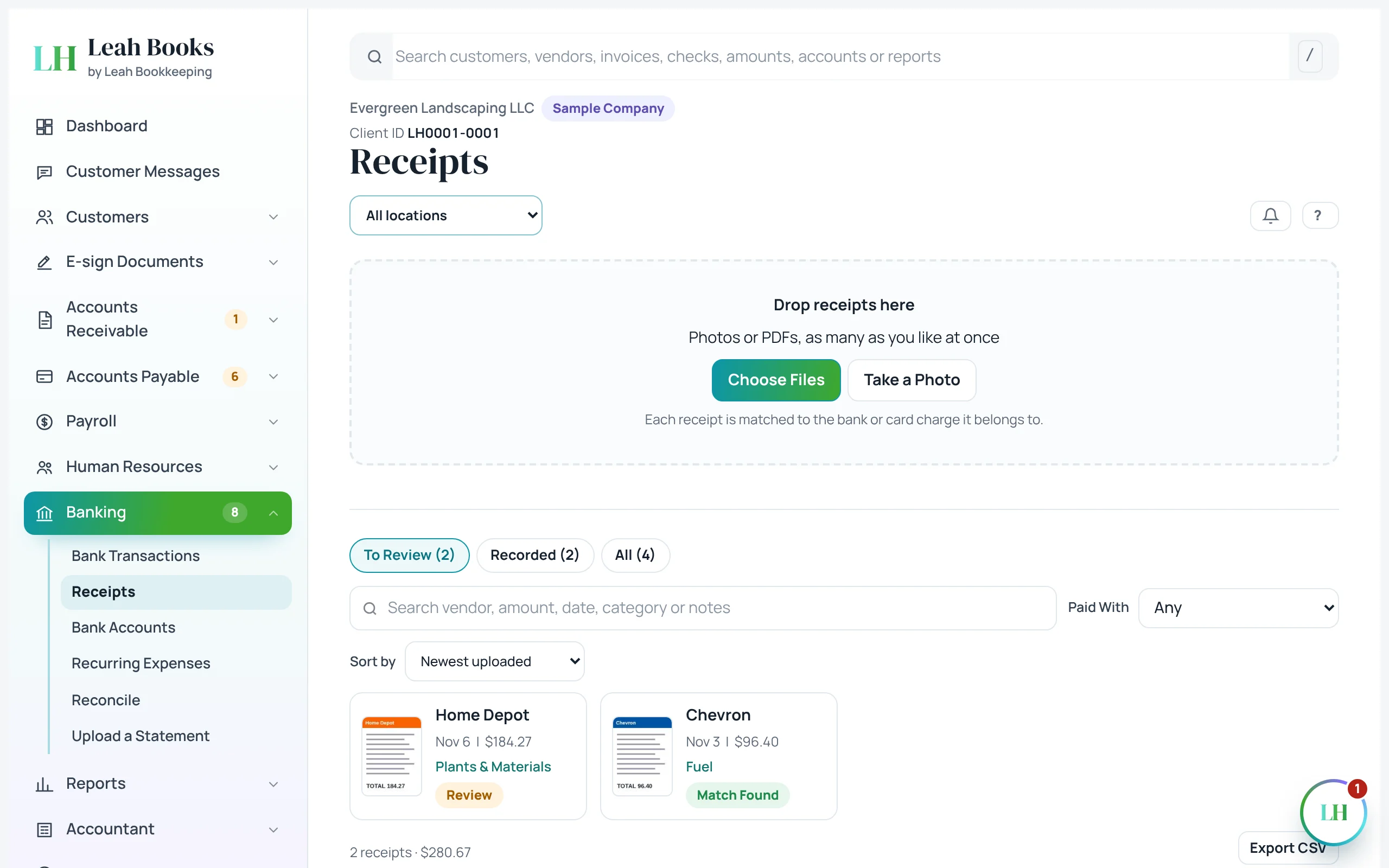
Pick the category for what was bought, and the account it was paid from. This Home Depot receipt in the sample books was for plants and materials, paid with the Business Credit Card.
If one receipt covers different kinds of things, like fuel and a snack, split it across categories.
| Account | Debit (Dr) | Credit (Cr) |
|---|---|---|
| Plants & Materials | $184.27 | |
| Business Credit Card | $184.27 | |
| Total Balanced | $184.27 | $184.27 |
Memo: Receipt attached.
Are you Increasing or Decreasing?
| Debit | Credit |
|---|---|
| Asset | Liability |
| Draw | Equity |
| Expense | Revenue |
+ To increase an account, put it on its normal side.
Plants & Materials goes up: press + and find Expense on the debit side.
Receipts in Leah Books
Banking > Receipts is where receipts go. Drop in photos or PDFs, or take a photo on a phone. Leah Books can read each receipt and fill in the vendor, date, total, tax and a suggested category. Check what it filled in before you record it.
If the purchase is already in your books (a card charge, a bill or a check), Leah Books suggests that match. Attach the receipt to it instead of recording the expense again, so nothing is counted twice.
 (opens the full-size screenshot)
The audit trail in Leah Books
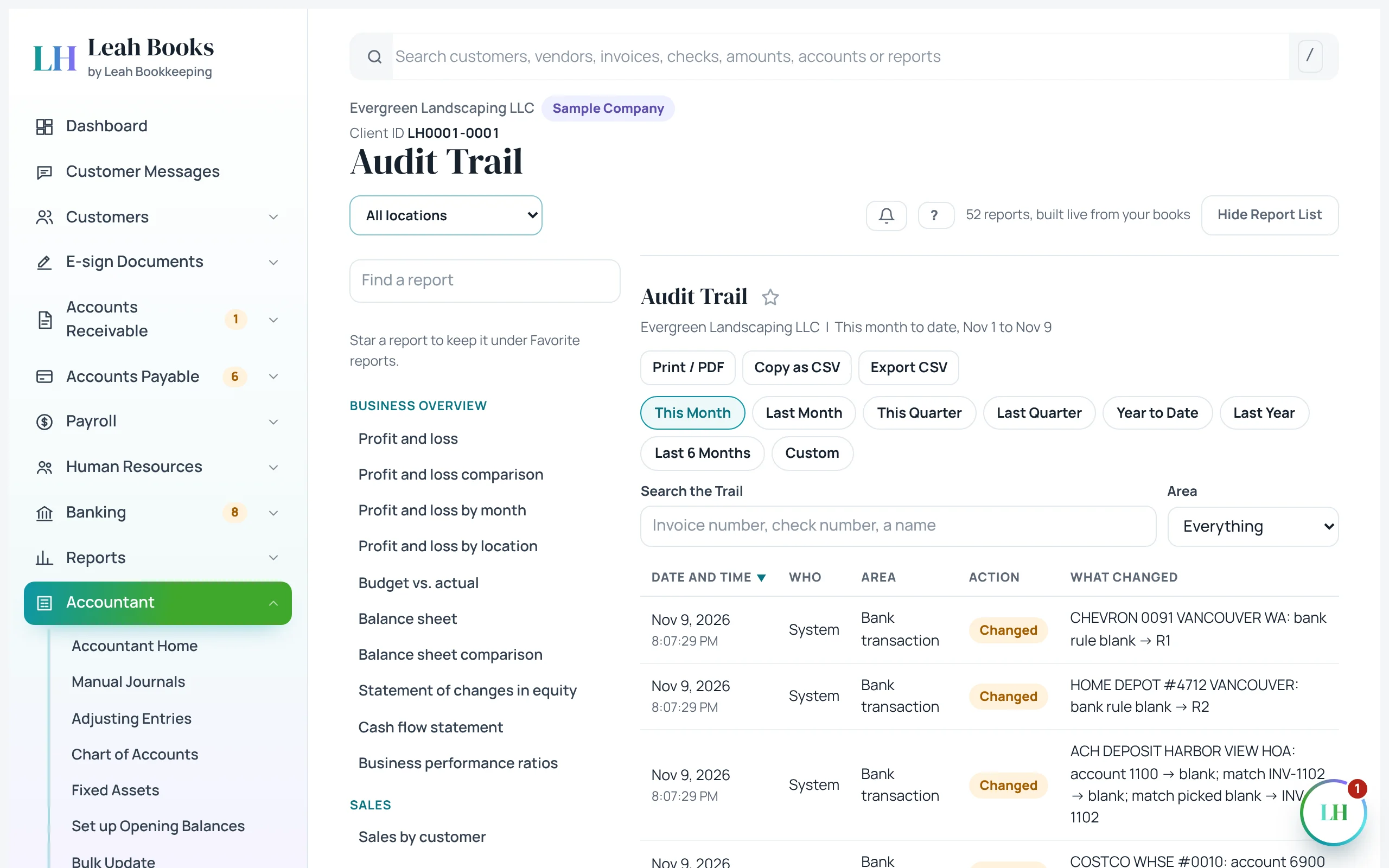
Leah Books also keeps its own log of who added or changed what, and when. That's part of your audit trail too.
 (opens the full-size screenshot)
Try it in Leah Books
- Go to Banking > Receipts and upload a photo or PDF of a receipt.
- Open it in the To review tab. Check the vendor, date, total, category and Paid with that Leah Books read from it.
- If a matching card charge is suggested, attach the receipt to it. If not, click Record expense.
- Open the Recorded tab and find the receipt there.
- Go to Accountant > Audit trail and look at the recent changes in the books.
Key terms
- Source document
- Proof from outside your books that a transaction happened, like a receipt, bill or bank statement.
- Supporting document
- Any paper or file kept with a transaction to back it up.
- Receipt
- Proof of a purchase showing the vendor, date, amount and what was bought.
- Audit trail
- The path from a report back to each entry and the document behind it, plus a log of changes.
- Categorize
- Choose the account a transaction belongs in, like Fuel or Plants & Materials.
- Split transaction
- One transaction divided across more than one category.
Check what you learned
Pick an answer to see if it's right and why. Nothing is saved or sent.